

Complete Finance Dashboard and Annual Budget System for Excel & Google Sheets


Complete Finance Dashboard and Annual Budget System for Excel & Google Sheets
Pickup currently not available
TAKE CONTROL OF YOUR FINANCES WITH ONE BEAUTIFUL DASHBOARD!
Budgets in one app, savings in another, debt on a sticky note... it's no wonder money feels overwhelming.
The Finance Dashboard & Annual Budget brings everything together in one spreadsheet. Log your transactions once and watch your monthly budgets, your year at a glance, your savings, your debt and your net worth all update for you.
WHAT TO EXPECT
🌟 27 tabs: Setup, a Transaction Log, 12 monthly budget tabs, an Annual Dashboard, a Year at a Glance and a Bill Calendar that shows every bill on its due day.
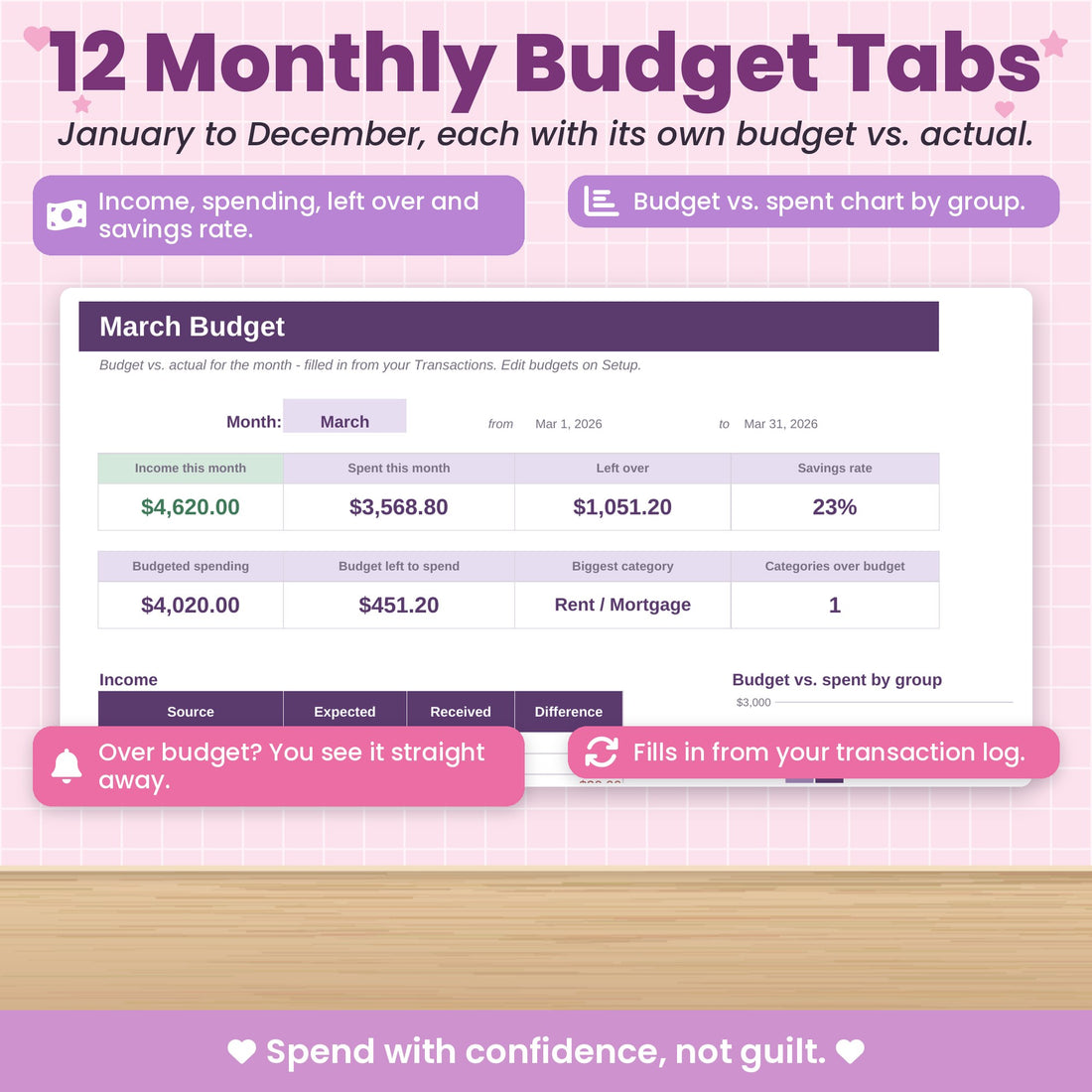
🌟 Pretty monthly dashboards with charts that compare what you planned with what you actually spent.
🌟 An Account Balance Tracker so you always know how much is in each account.
🌟 Sinking funds for up to 50 savings goals, with progress bars that fill up as you save.
🌟 A Debt Payoff Tracker and Schedule for up to 50 debts, plus a Debt Payoff Dashboard with your debt-free date.
🌟 A Net Worth Calculator, a Cash Flow worksheet for any date range and a Bills & Subscriptions list.
🌟 Works in Microsoft Excel and Google Sheets, on your computer, tablet or phone.
Getting organised has never felt this good. Grab your spreadsheet and get started today! 💕
What's the difference between the Finance Dashboard and the Monthly Budget Spreadsheet?
The Monthly Budget Spreadsheet is a simple, beginner-friendly tool to plan and track one month at a time. The Finance Dashboard covers your whole year: 12 monthly tabs, an annual dashboard, account balances, sinking funds, debt payoff and net worth, all in one file.
💡 Want to save? This spreadsheet is also included in our bundles. Save 15% or more when you shop our bundle deals!
This is a digital product. No physical item will be shipped.
What You'll Receive
— Instant access to your spreadsheet in Microsoft Excel (.xlsx), ready for Google Sheets too
— 2 colour schemes to choose from: Pink & Purple or Blue & Green
— A Start Here tab with simple step-by-step instructions
— A PDF with access instructions for Excel and Google Sheets
— Example data so you can see how everything works before adding your own
Your Results
— All your money finally in one place
— A clear plan for every month of the year
— Savings that grow and debt that shrinks, where you can see it
— Less money stress and more confident decisions
Access Instructions
Right after checkout you get your download link on the thank-you page and by email. Open the file in Excel, or upload it to Google Drive to use it in Google Sheets. This is a digital product: nothing physical will ship.
30-day money-back guarantee
Use it for 30 days. If you don't love it, send us a message and we'll refund you. No hassle.
Frequently Bought Together
 +
+ +
+
Total price: €48,85
Wait, before you check out
Get the whole Spreadsheet VIP Bundle instead
For just €8,00 more, get all 3 spreadsheets that work together with your Complete Finance Dashboard.
 Complete Finance DashboardYour pick
 Cleaning and Home Maintenance+ €10,95 value
 Habit Tracker+ €10,95 value
One-time offer · only on this page
Every spreadsheet, an extra 15% off
Your money, your home and your time, all sorted: all 15 spreadsheets in The Really Big Bundle, including your Complete Finance Dashboard.




That's about €6,17 per spreadsheet. Code BIGBUNDLE15 is applied for you at checkout.
Instant download · Excel & Google Sheets · 30-day money-back guarantee
Inside the spreadsheet
Here's everything you get
A closer look at the tabs that do the work for you.
Step 1
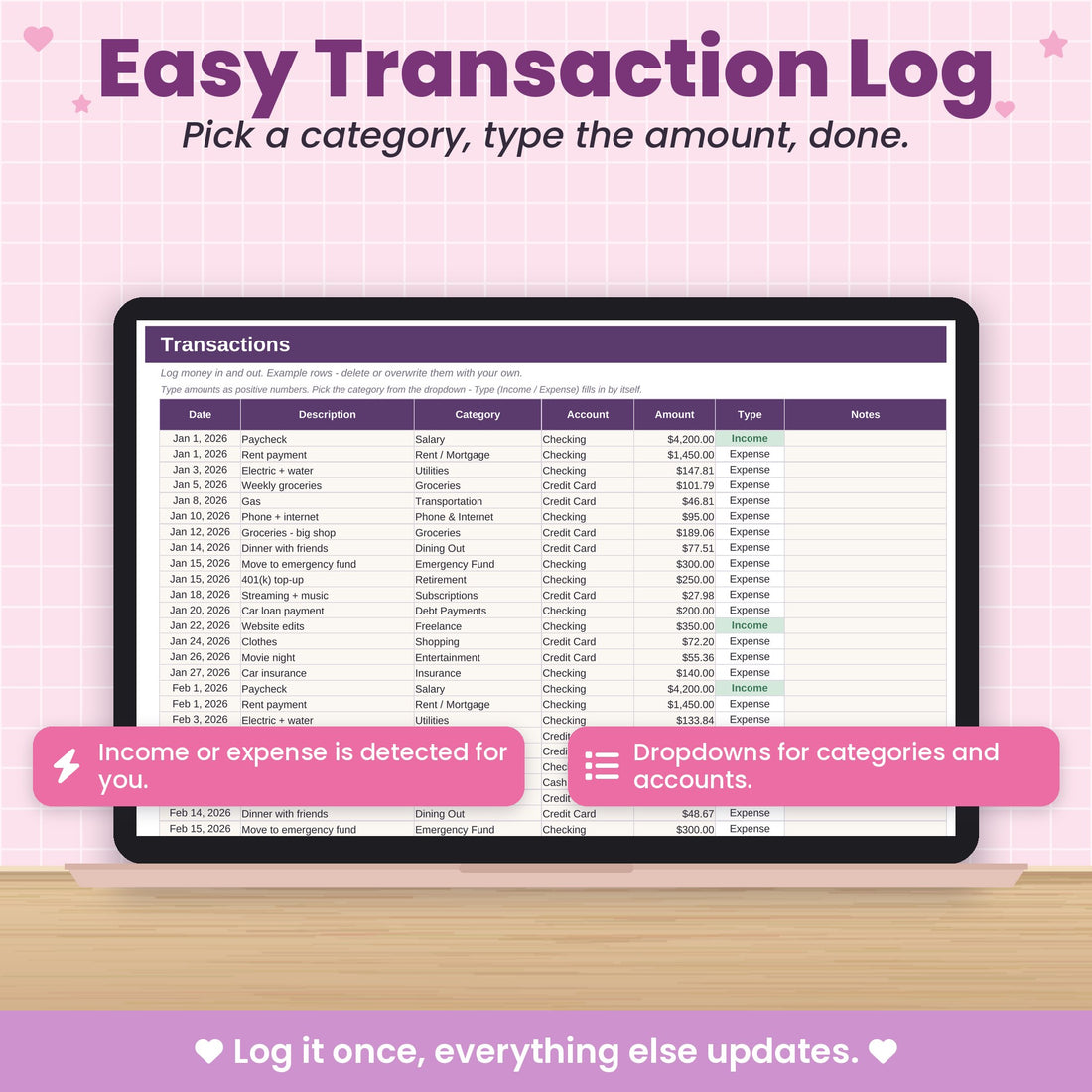
Log it once. Everything else updates.
Type the date, amount and pick a category. That's it. Every monthly budget, chart and total in the file fills in from this one simple list.
- Income or expense is detected for you
- Dropdowns for categories and accounts
- No formulas to touch, ever
12 monthly tabs
Plan every month, then watch it come to life
Each month has its own budget tab with planned vs. spent for every category, so you always know what's left before you spend.
- Over budget? It is highlighted right away
- Needs, wants & savings split
- Copy your plan from month to month
Your year at a glance
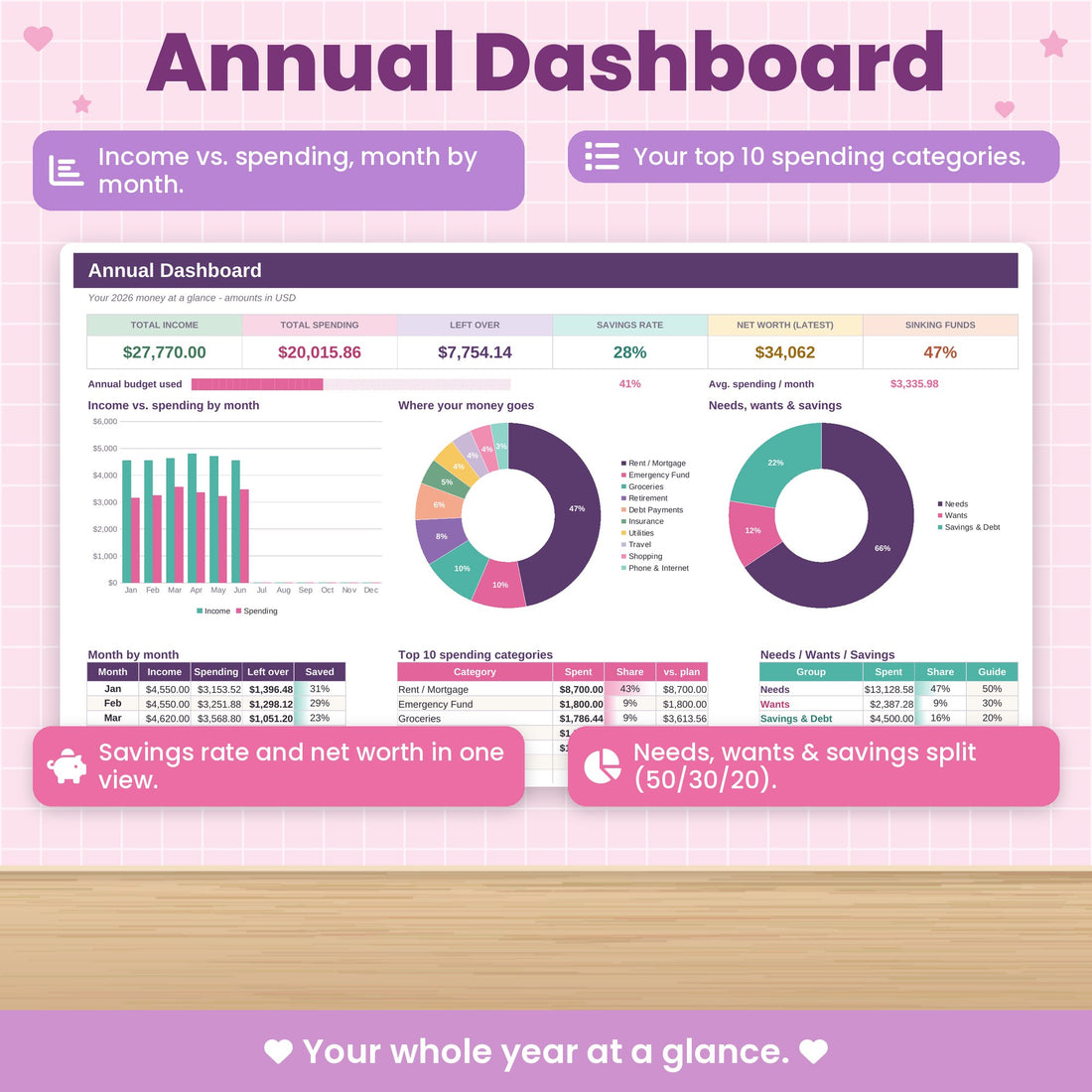
One dashboard for your whole year
Income vs. spending by month, your top 10 categories, savings rate and net worth, all in one view that is actually a pleasure to open.
- Charts update as you log
- Savings rate and money left over
- Perfect for your monthly money date
Never miss a payment
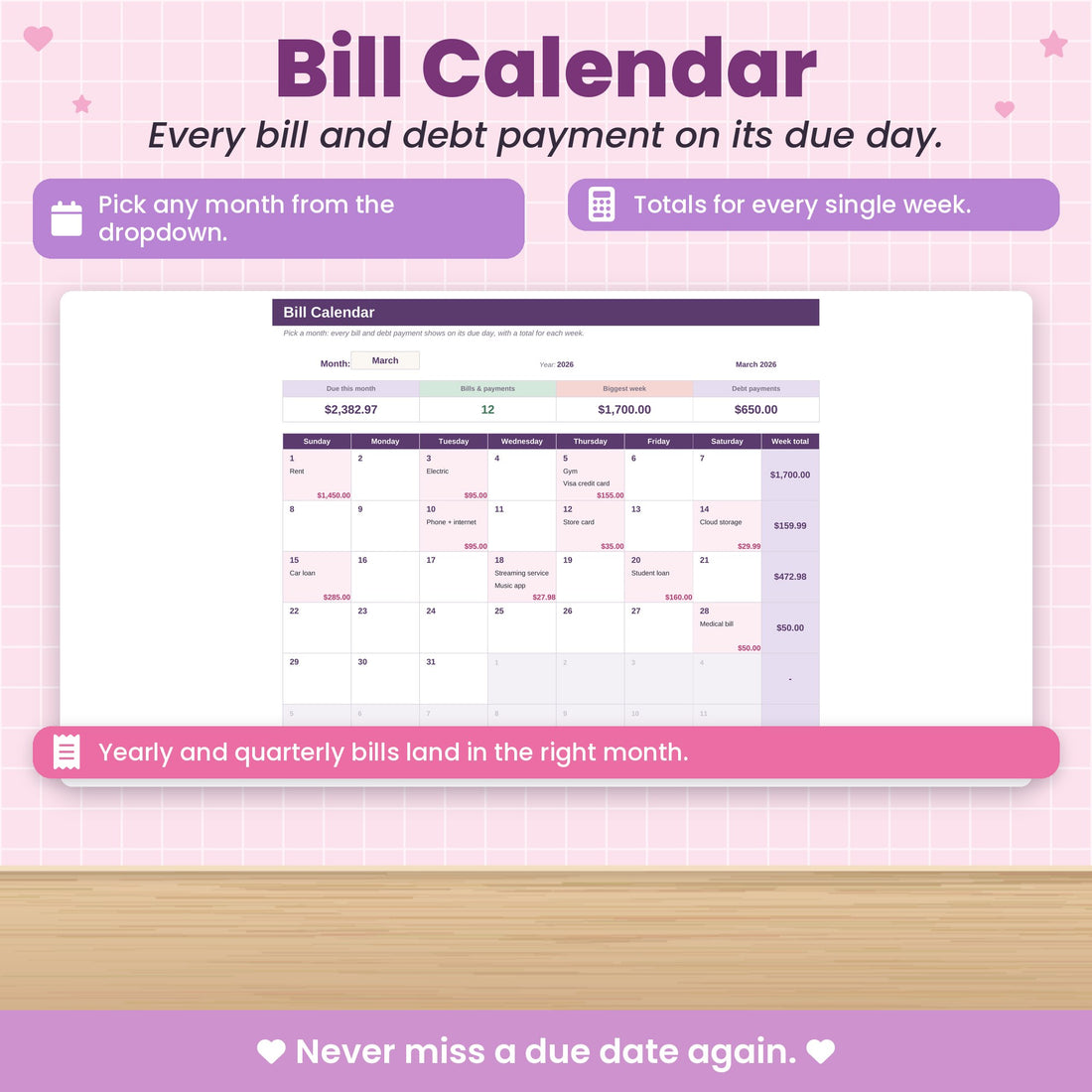
A bill calendar that fills itself in
Every bill and debt payment lands on its due day, including quarterly and yearly ones, with totals for each week so payday planning is easy.
- Pick any month from a dropdown
- Weekly totals
- Quarterly & yearly bills in the right month
Ditch the debt
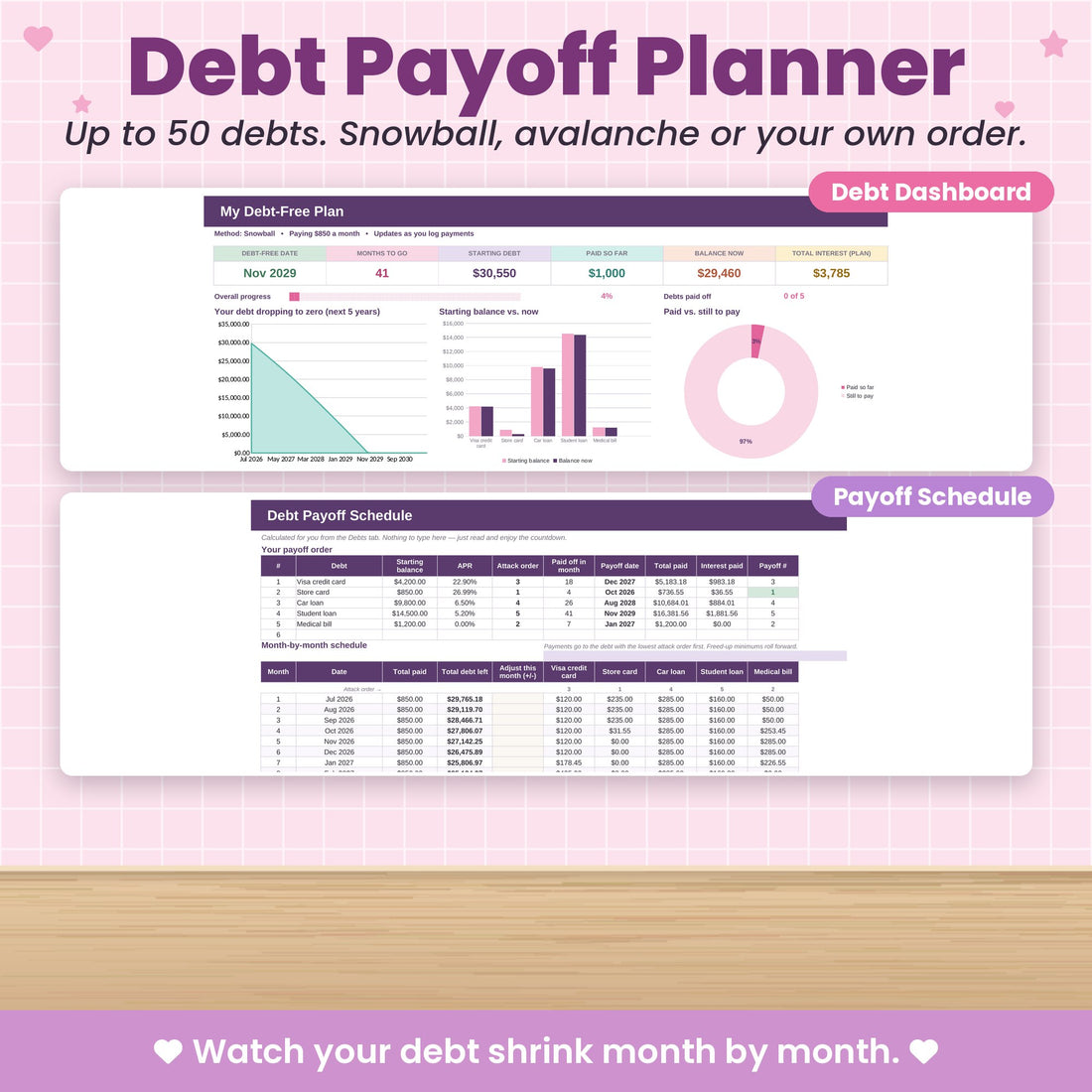
A debt payoff plan for up to 50 debts
Choose snowball, avalanche or your own order and see your debt-free date. Every extra payment you log moves that date closer.
- Month-by-month payoff schedule
- Total interest you will pay
- Progress for every debt
The big picture
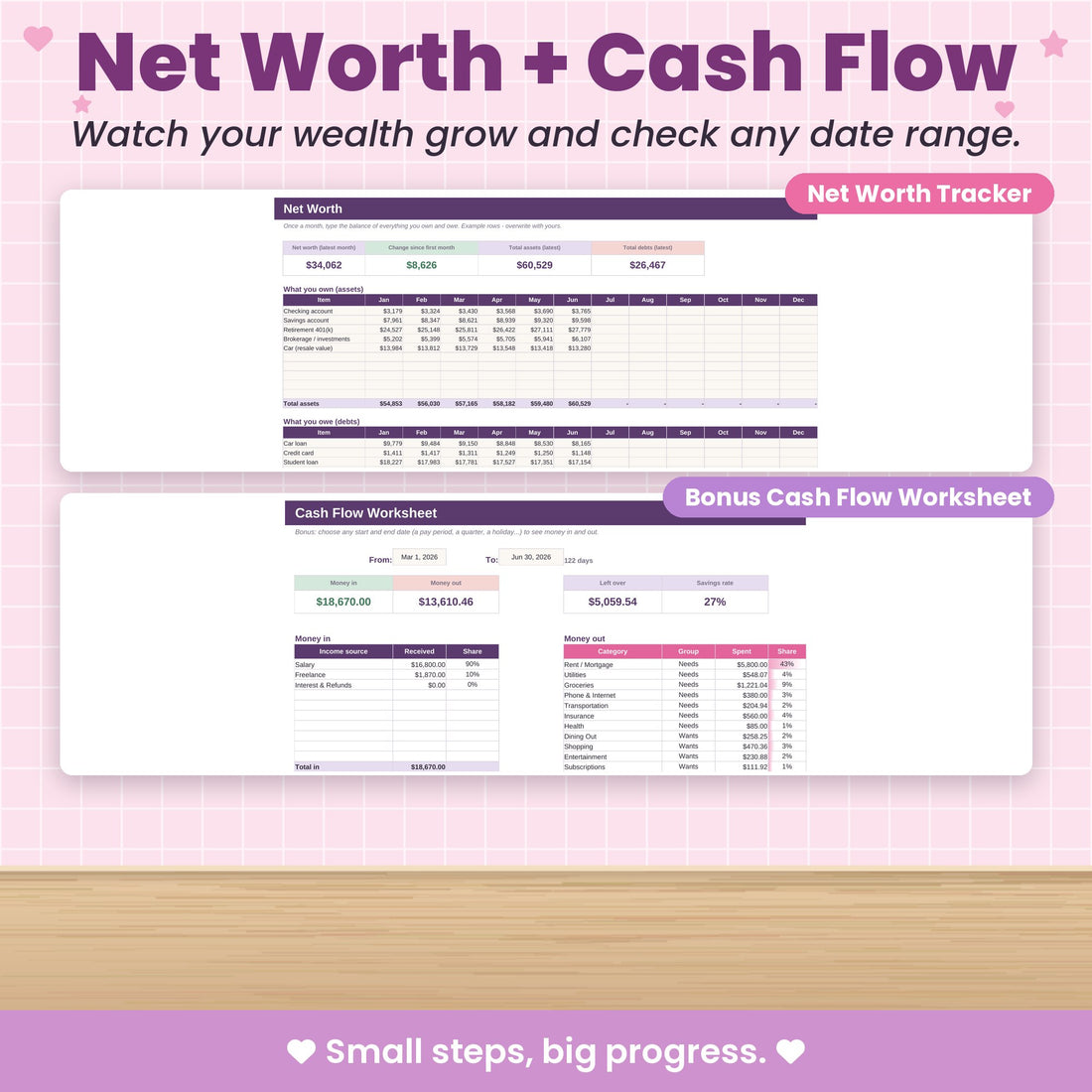
Net worth and cash flow, finally clear
Track what you own and owe over time, and use the cash flow worksheet to see what is coming in and going out for any date range.
- Net worth trend over time
- Cash flow for any dates
- Sinking funds for up to 50 goals
Included in your download
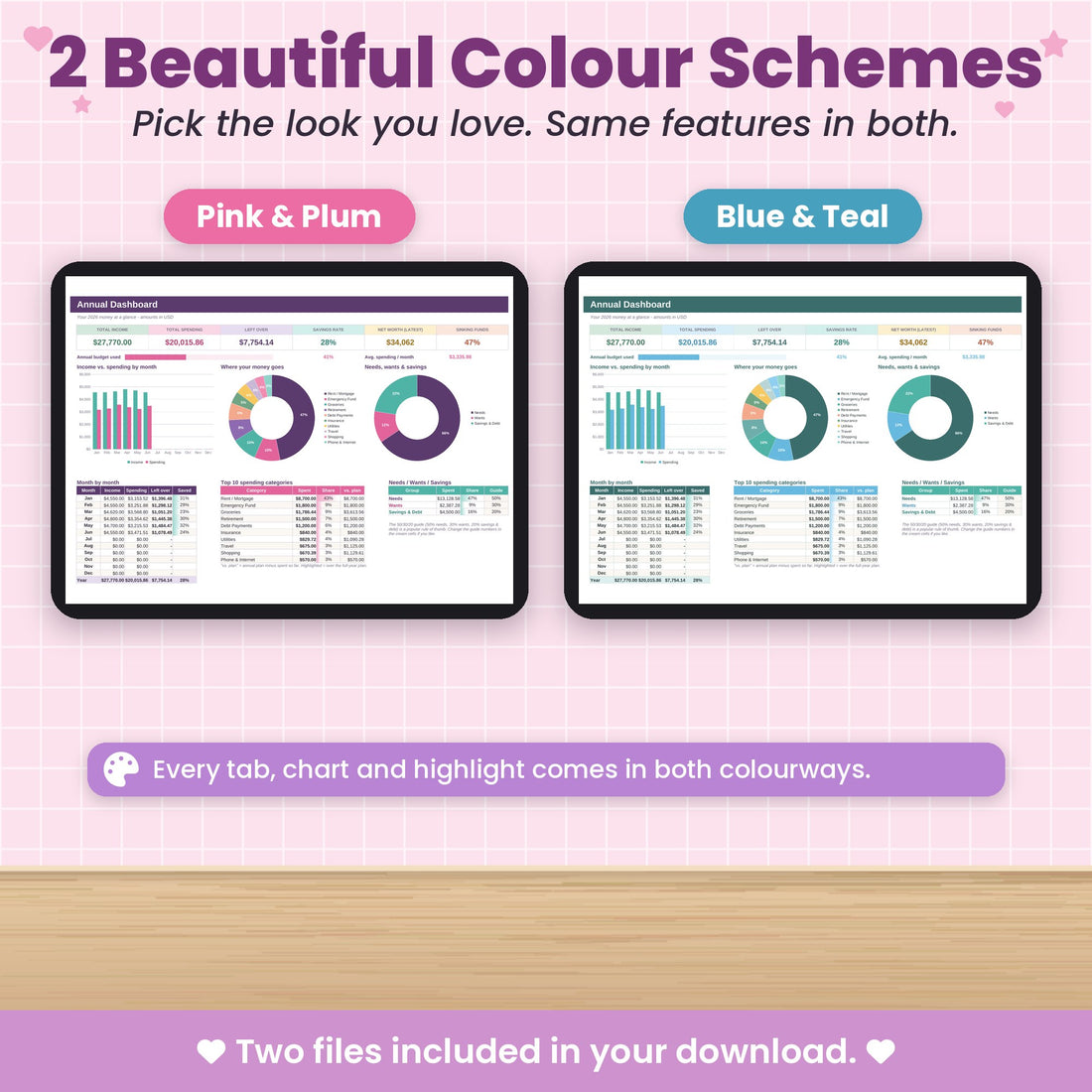
Two colour schemes, same features
Your file comes in Pink & Purple and in Blue & Green. Pick the one that suits you, or switch whenever you like.
How it works
Up and running tonight
Check out
Quick, secure checkout. No account or subscription needed.
Download instantly
Your files are on the thank-you page and in your inbox straight away.
Open & start
Open it in Excel or Google Sheets and follow the Start Here tab. That's it.
Questions
Good to know
What's the difference between the Finance Dashboard and the Monthly Budget Spreadsheet?
The Monthly Budget Spreadsheet is a simple, beginner-friendly tool to plan and track one month at a time. The Finance Dashboard covers your whole year: 12 monthly tabs, an annual dashboard, account balances, sinking funds, debt payoff and net worth, all in one file.
Do I need to know Excel?
Not at all. You only type in the cream-coloured cells and everything else, dashboards and charts included, updates by itself. A Start Here tab walks you through it.
Does it work with Google Sheets?
Yes. Upload the file to Google Drive and open it with Google Sheets. Your download includes a PDF that shows you how, step by step.
Can I use it on my phone or tablet?
Yes, with the free Excel or Google Sheets app on iPhone, iPad and Android.
Is this a subscription?
No. You pay once and the file is yours to keep and reuse.
What colours does it come in?
You get two versions in your download: Pink & Purple and Blue & Green. Pick your favourite.
How do I get my file?
Right after checkout you'll see a download link on the thank-you page, and we email it to you too. This is a digital product, so nothing is shipped.
What if I don't love it?
Use it for 30 days. If it's not for you, send us a message and we'll refund you.
Complete Finance Dashboard and Annual Budget System
One payment. Instant download. Yours to keep.
30-day money-back guarantee · Works in Excel & Google Sheets